Set up with the remote.
Enter your server once; the wall comes up on its own after that.
 Explore the lab
VMS · APPLE TV
 Chinguetti Labs VMS TVPART OF CHINGUETTI LABS VMS
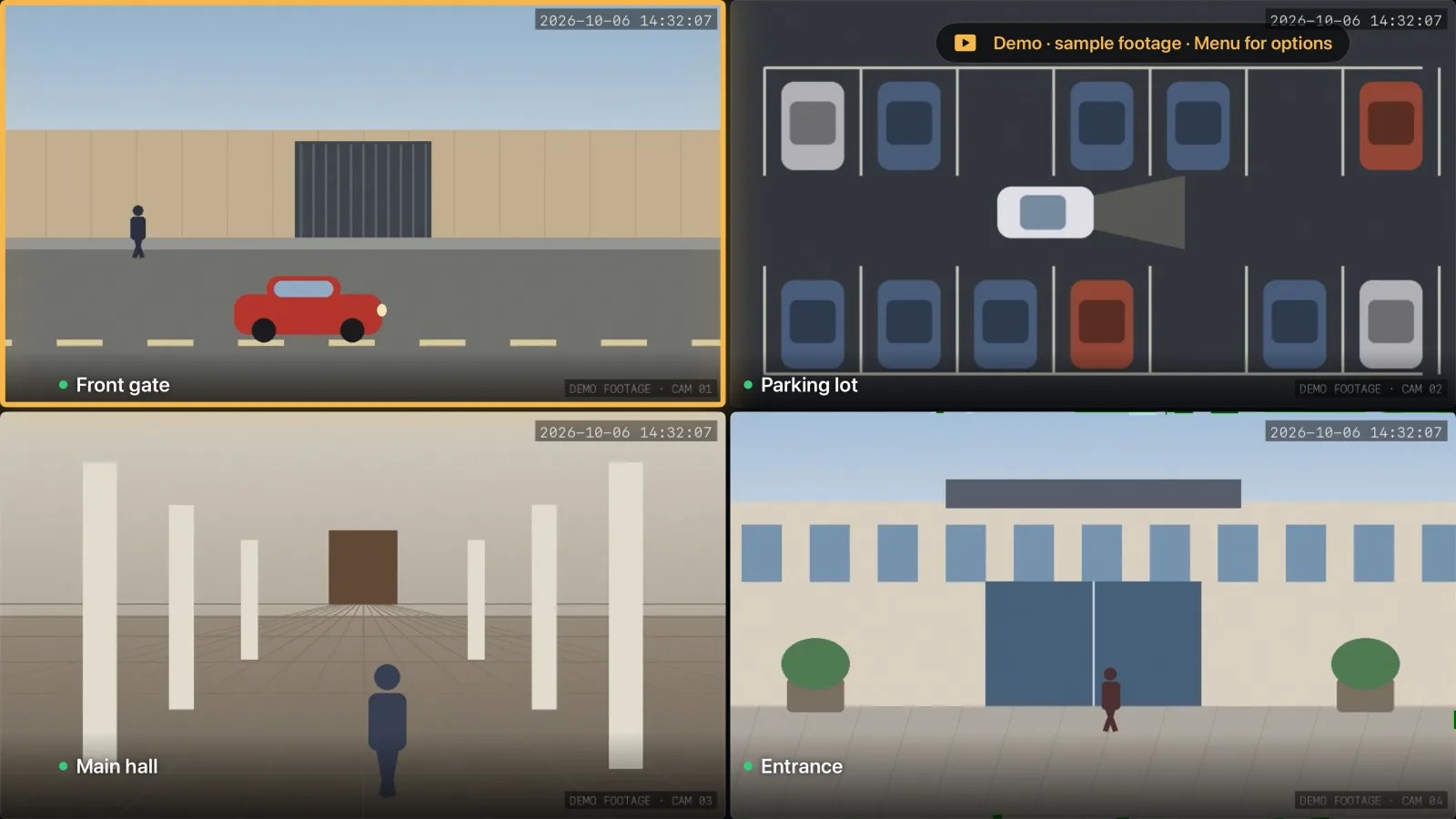
Turn any TV with an Apple TV into a VMS video wall — no computer beside it.
 APP PREVIEW · DEMO DATA
THE IDEA BEHIND CHINGUETTI LABS VMS TV
VMS TV signs in to your VMS Server from an Apple TV and shows the video wall on the TV it is plugged into — at the front desk, in the control room, or in the back office.
A wall display should not need a spare computer. An Apple TV is small, quiet and already designed to drive a big screen all day.
THE EXPERIENCE
Enter your server once; the wall comes up on its own after that.
Layouts from the server, a menu on the running wall, and automatic reconnection.
A demo wall with bundled clips shows what it does before you connect anything.
Version, credits, privacy and support are one click away on the TV.

The operational picture, where everyone in the room can see it.
VMS TV needs a VMS Server to connect to; the built-in demo wall works without one.
MORE FROM CHINGUETTI LABS VMS