Display Mode.
Use this Mac as a wall display: full screen on the chosen screen, every control hidden, open at login if you want it.
 Explore the lab
VMS · MAC VIDEO WALL
 Chinguetti Labs VMS ViewerPART OF CHINGUETTI LABS VMS
A native Mac video wall for VMS Server — for operators at their desks and for screens on the wall.
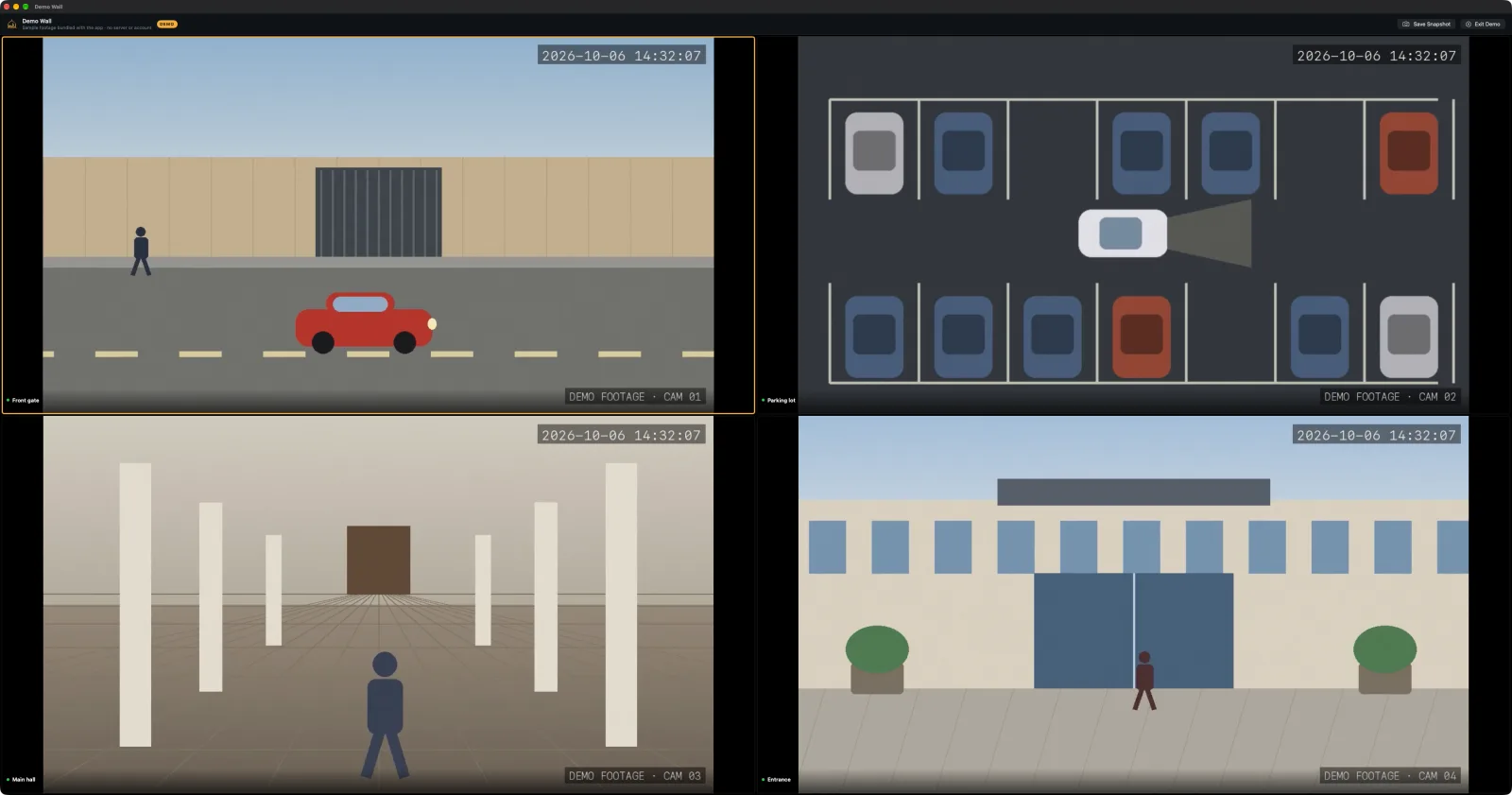 APP PREVIEW · DEMO DATA
THE IDEA BEHIND CHINGUETTI LABS VMS VIEWER
VMS Viewer wraps the VMS Server video wall in a signed, sandboxed Mac app and adds what a monitoring station needs: a saved sign-in, full-screen display mode, keyboard shortcuts for every layout, and windows for the site map and OPSEC Academy.
A wall display has to keep running. The Viewer reloads itself if the server drops, keeps the screen awake, and can register as a named display that follows the views an administrator pushes.
THE EXPERIENCE
Use this Mac as a wall display: full screen on the chosen screen, every control hidden, open at login if you want it.
Shortcuts for new windows, saved views, tours, quick layouts and stream statistics; snapshots saved with the camera name and time burned in.
WebRTC per tile with automatic fallback to low-latency HLS, using substreams for small tiles and main streams for big ones.
Administrators can frame the site on Apple satellite imagery and upload it as a georeferenced map.

The wall should be the most reliable screen in the room.
VMS Viewer needs VMS Server 1.3.0 or later; a demo wall with bundled footage works without one. Sandboxed for the Mac App Store; your password is kept in this Mac’s Keychain.
MORE FROM CHINGUETTI LABS VMS